Product tour · every image captured from the live demo
How LusterBook works
Mobile detailing has three standing problems: the sky ruins coating jobs, booking a client takes a dozen texts, and deposits get chased or skipped. Here is how the system handles each one — shown, not claimed.
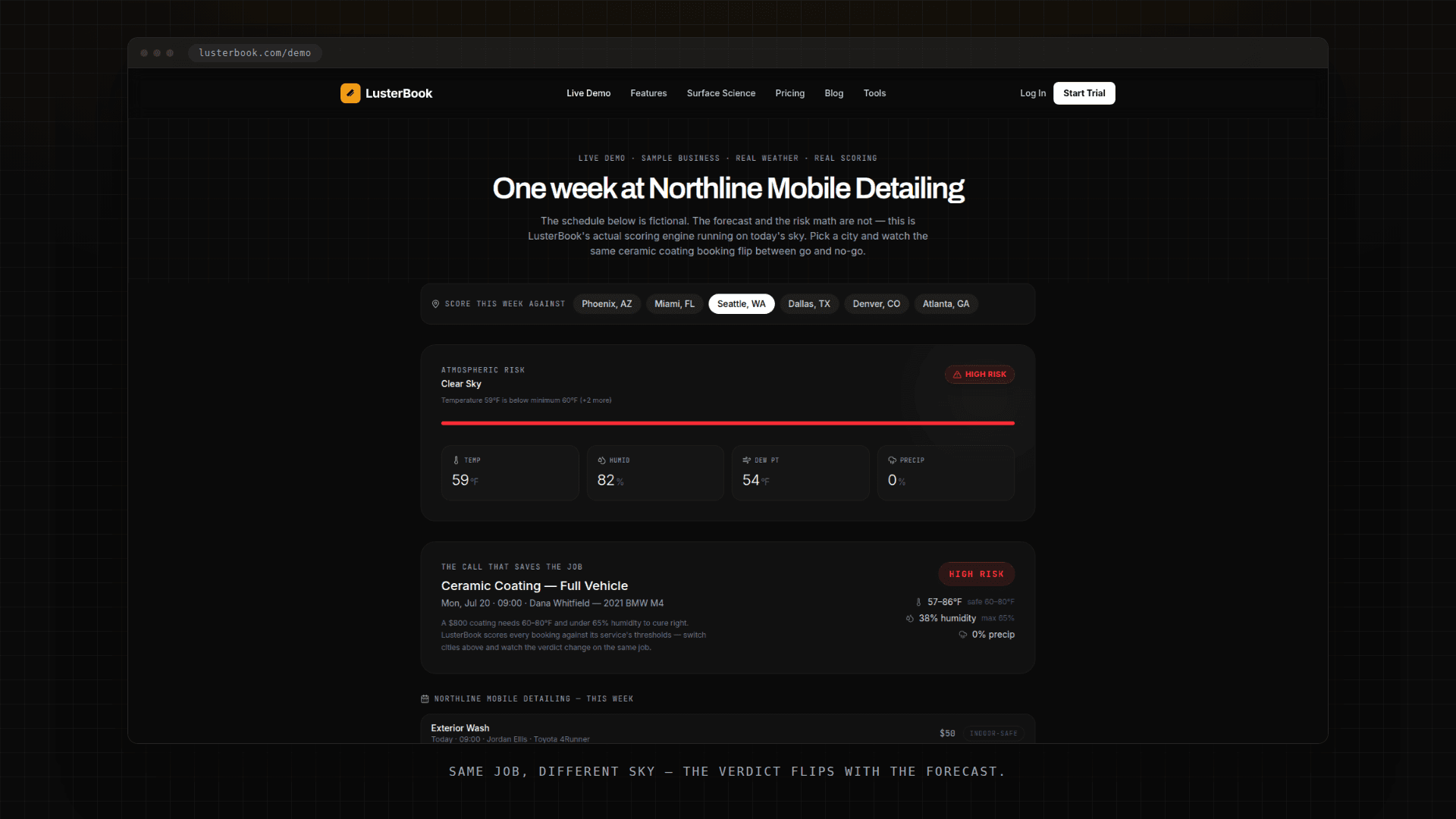
Every booking is checked against the sky
A ceramic coating laid down with a 3°F dew-point gap hazes. A booking made on Tuesday meets Saturday's actual weather. The forecast decides whether the job happens — so the system reads it for you.
- 01
Each service carries its own thresholds
Temperature range, humidity ceiling, dew-point gap, precipitation chance — set per service. A coating job is stricter than an interior detail, and the system scores them differently.
- 02
The forecast scores the week
Every upcoming booking gets a risk verdict — low, medium, or high — computed from the real forecast against that service’s thresholds. No judgment calls at 6 AM.
- 03
You hear about it before the client does
When a confirmed booking flips to high risk, you get the alert with time to make the reschedule call — instead of discovering it on the driveway.
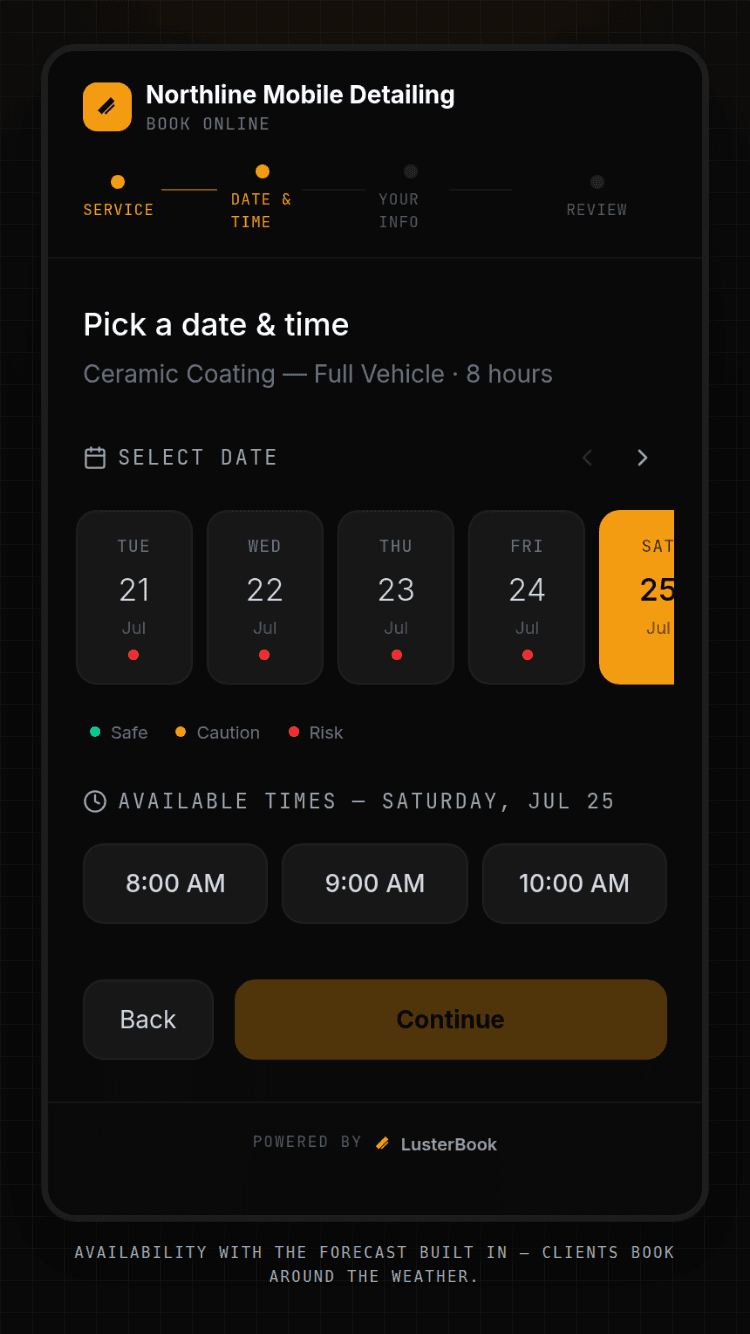
Clients book themselves — dates carry the forecast
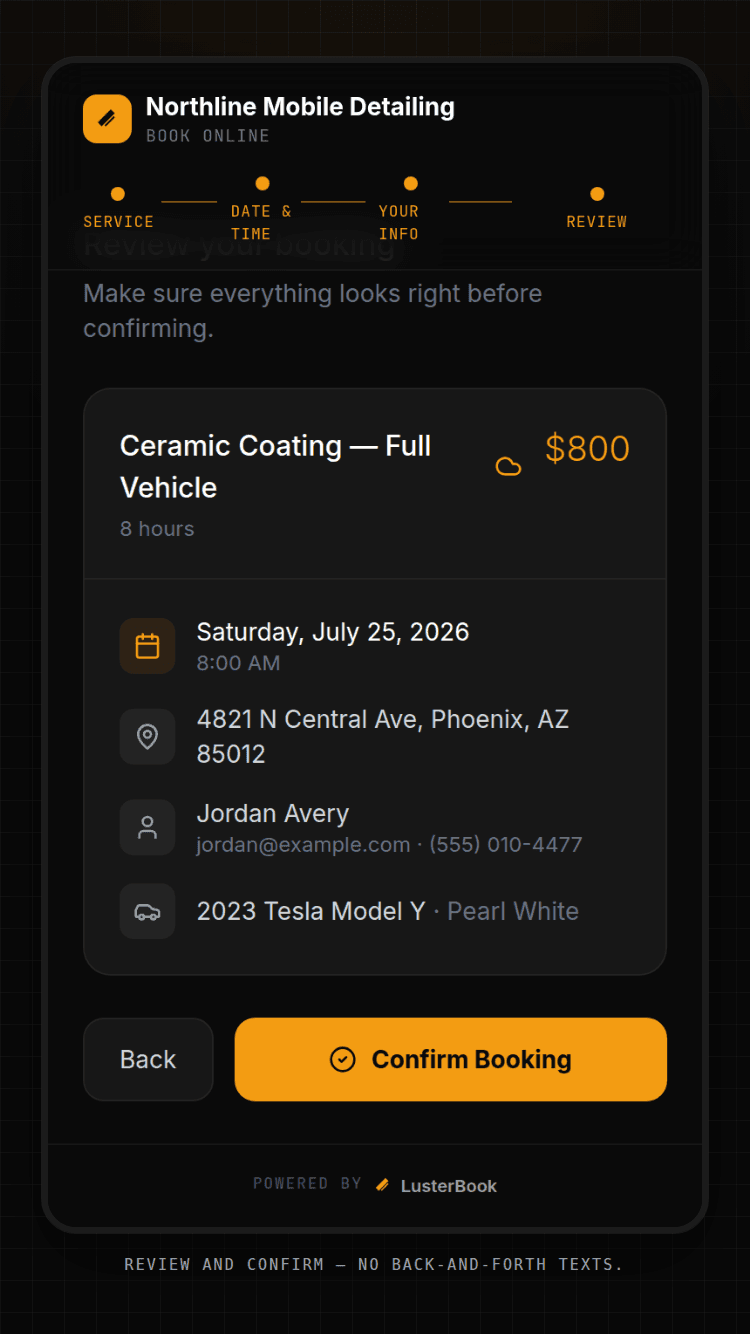
The average job takes a stack of back-and-forth texts to land on a service, a day, and a time. Your booking page answers all three at once, and the calendar it shows already knows the weather.
- 01
Your own booking page
Every account gets a public page at lusterbook.com/book/your-business — services, prices, durations, and real availability from your working hours and existing bookings.
- 02
Weather-scored dates
For weather-sensitive services, each offered day shows its risk against your thresholds. Clients steer themselves away from the days you’d have to cancel anyway.
- 03
Or embed it on your site
The same page runs as a widget inside your existing website. Embedding is allowlisted to the domains you name — nobody else can frame your page.
Deposits collected at booking, into your own Stripe
A no-show with no deposit costs you the whole slot. Chasing a deposit over Venmo costs you the professional footing. The fix is collecting it in the same motion as the booking.
- 01
Connect your own Stripe account
LusterBook uses Stripe Connect: you link the Stripe account you own, and payments settle there directly. We never hold your Stripe keys and your money never routes through us. Disconnect any time, from either side.
- 02
Set a deposit per service
A flat amount on the services that need one — typically the ones where a lost slot hurts most. Deposit collection is included on every plan.
- 03
The client pays as they book
The deposit is part of the booking flow, not a follow-up request. A confirmed slot now has money behind it, and a no-show costs the client too.
Now watch it run on today's sky
The live demo scores a sample week against the real forecast in three cities — no signup, nothing to install.
Plans and what's in them: pricing